
What you will be able to do
Use this guide to make a better decision.
- Turn a broad topic into a context-rich quote search.
- Compare candidates by role, audience, and tone instead of fame.
- Test a quotation inside the sentences where it will actually appear.
You know the feeling: the idea is right there, but the words are not. You can almost hear the quote you want. It has something to do with patience, courage, loneliness, ambition, or the strange bravery of beginning again. But the exact phrase is missing, so you type a broad keyword and hope the internet understands what you mean.
Most of the time, it does not. A search for “resilience quote” gives you quotes that include the word resilience. That is not the same as finding a line that fits a graduation speech, a product launch deck, a student debate, or the last paragraph of an essay.
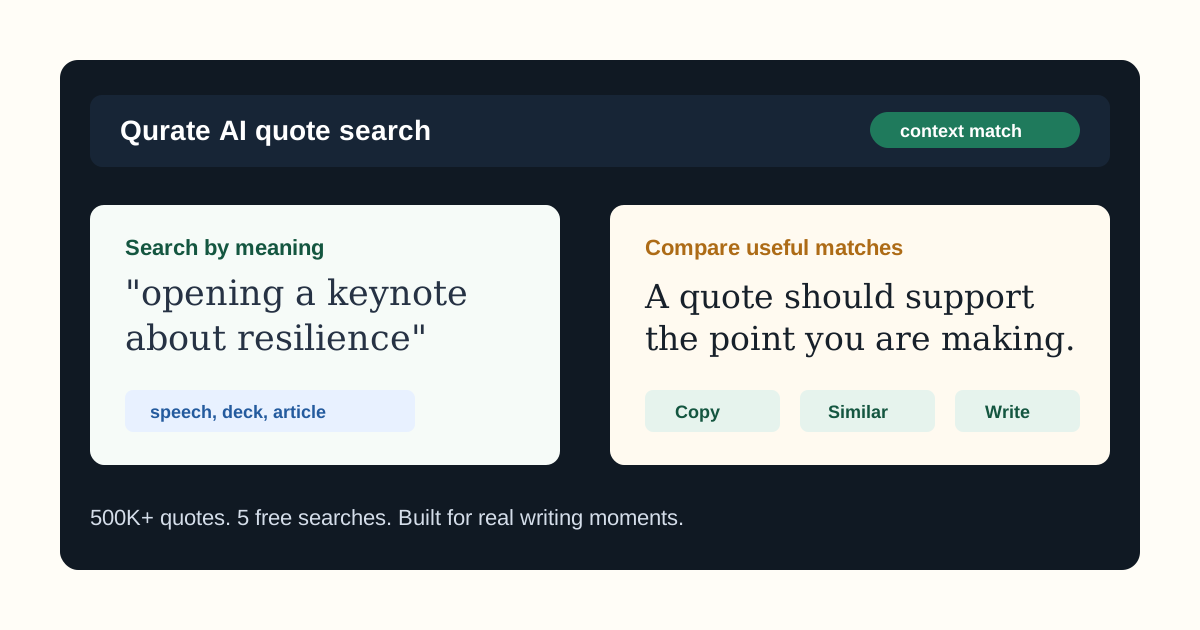
That is the real promise of semantic quote search. It lets you search by meaning, not just exact words. With Qurate, you can describe the situation, audience, tone, and job of the quote, then compare results that fit the context from a 500K+ quote library.
What semantic quote search actually means
Semantic quote search is quote discovery based on intent. A keyword search asks, “Which quotes contain this word?” A semantic search asks, “Which quotes carry this idea?”
That difference matters more than it sounds. If you are writing about focus, you may not want a quote that literally says “focus.” You might want a line about attention, discipline, distraction, patience, craft, or saying no. A keyword tool can miss those because the words do not match. A semantic quote search can still understand the direction you are moving in.
Compare these two searches:
resilience quote
and:
a calm opening quote for a keynote about rebuilding confidence after a difficult year
The second prompt gives the search system a real writing situation. It names the format, mood, and purpose. That makes the results much easier to judge because you are no longer browsing a topic. You are solving a specific writing problem.
Why broad quote searches feel so tiring
Traditional quote pages are helpful when you already know the author or wording. They are less helpful when you are still shaping the thought. You search, skim, open another page, copy a few lines into a draft, and then realize none of them belong.
The mismatch usually comes from one of three places:
- The quote fits the topic but not the tone.
- The quote is familiar enough to feel flat.
- The quote sounds good alone but weakens the paragraph, slide, or speech around it.
That last one is the hidden problem. A quote can be beautiful and still be wrong for the piece. A line that works in a wedding toast may feel sentimental in a founder update. A quote that feels powerful on a poster may feel too polished inside an article that needs honesty.
If you are preparing a talk, the guide on finding quotes for speeches goes deeper into audience fit, openings, transitions, and closings.
How to write a better semantic quote search prompt
A useful prompt does not need to be fancy. It just needs to give the quote a job.
Start with the format. Is this for a speech, article, essay, slide, caption, debate, newsletter, or product story? Each format has a different rhythm.
Add the audience. A room of executives, a classroom, a nonprofit event, and a team all-hands will not hear the same quote the same way.
Name the job. Should the quote open the piece, sharpen a point, add emotional weight, challenge a belief, support an argument, or give the ending a little lift?
Then add tone. Plainspoken, warm, reflective, sharp, witty, sober, hopeful, and practical are all useful signals.
Here are a few prompts that give Qurate more to work with:
- “A short quote for a slide about focus during a product launch.”
- “A reflective quote for an article about loneliness in a connected world.”
- “A grounded line for a student debate about responsible AI.”
- “A hopeful quote for ending a speech about rebuilding trust.”
None of these prompts are trying to sound clever. They are trying to be specific. Specificity is what turns quote search from scrolling into selection.
Judge the quote in its real home
The best test for any quote is not whether you like it in isolation. It is whether the writing around it gets better.
After you find a candidate, paste it into the draft and read the sentence before it and the sentence after it. If those sentences suddenly become easier to write, you may have found the right line. If you have to explain too much, apologize for the tone, or force the connection, keep looking.
Ask yourself:
- Does the quote support the point directly?
- Does it sound like it belongs in this piece?
- Can I introduce it naturally?
- Would the paragraph, slide, or speech feel weaker without it?
For long-form writing, the guide on using quotes in articles shows how to make a quote part of your own thinking instead of dropping it into the page like decoration.
Where Qurate fits into the workflow
Qurate is useful when you know the meaning you need but not the exact wording. You can search by context, compare matches, and move into Qurate’s writing assistant when you want quote suggestions inside a writing flow.
Use it for:
- Speech openers and closings.
- Article paragraphs that need a sharper frame.
- Presentation slides that need one readable line.
- Social posts and campaign captions.
- Essays, debates, and classroom presentations.
If your next use case is a deck, read how to find quotes for presentations before you place a long quote on a crowded slide.
Try semantic quote search with something real
Do not test a quote tool with a random keyword. Bring one real piece of work. Describe the format, audience, point, and tone. Then judge the results by whether they help you write, speak, or explain more clearly.
Try Qurate with 5 free searches. If the matches feel useful in an actual draft, the monthly and annual plans are there when quote search becomes part of your regular workflow.
Continue in Qurate
Search with the context you have already worked out.
Bring the idea, audience, setting, and tone from this guide into Qurate, then compare the matches in your actual draft.

Written by
App Cradle Editorial Team
The App Cradle team writes from hands-on product work in quote discovery, writing tools, and semantic language exploration.
Continue learning
Take the next useful step.
 Speeches
How to Find the Right Quote for a Speech
A practical, human guide to finding speech quotes that fit the room, the point, and the tone without sounding pasted on.
Read the guideWritingHow to Use Quotes in Articles Without Sounding Generic
Learn how to use quotes in articles with better judgment, stronger framing, and less of that pasted-in internet quote feeling.
Read the guidePresentationsHow to Find Quotes for Presentations and Slide Decks
A practical guide to finding quotes for presentations that are readable, relevant, and useful on real slides.
Read the guide